The Help and Education Centre
The ModelFolio Help Centre is largely community driven, and was created to help you in your modeling or photographic career.
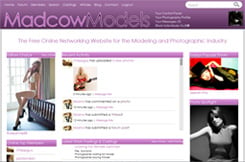
ModelFolio.co.uk is a community built up of over (and growing..!) models, photographers, studios, make up artist's, clients, agencies from all over the UK. Everyone from the complete newcomer to the most experienced professional is welcomed with open arms on ModelFolio.
Constantly growing, constantly updating and improving, we strive to provide the best experience for our members, allowing them to focus on their networking and career within the industry.

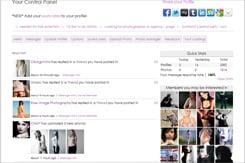
Profiles: We provide free profile hosting to all of our members, with the option to pay to upgrade to gain access to certain features on the site, and remove certain limits that are imposed on free profiles.
For more information on our different member options, please see this page: Membership Details.
Photo Gallery: With thousands of modeling photos online, of all genres, and an easy to use search engine, you could quite easily browse our galleries for days and not get bored!
Search our photo gallery here.
Search Engine: Use the search engine to search through our members, the search engine has individual sections for each member type, and you can also search by name and also postcode/distance.
The Forums: Check out our forums for advice, portfolio reviews and analysis, casting threads and much more!
Castings & postings board: Looking for work? Whether you're a model, photographer, MUA, agency or client, there'll be something for you on the castings board.
Take a look at the latest castings here
Articles: Members can submit their own articles to ModelFolio, and once past screening, will appear in our articles section.
Articles typically contain opinions and advice about peoples experiences within the industry, you can also submit your own and earn yourself 6 months topmembership!
View our articles here.
Do you have a business or service you'd like to advertise? Advertise on ModelFolio and reach thousands of potential customers!
Using our Advert Publisher, you can have your advert live on ModelFolio within minutes, and with extremely competitive pricing, it won't break the bank!
Whats new on ModelFolio? We have a development and news blog so that you can keep up to date with the newest features and goings on.
View the blog
Need to get in touch with one of the team at ModelFolio? Want to know more about us or what we do? Please feel free to contact us here.
Are you on Facebook, twitter or myspace? Connect with us using the links below.
 Find us on Facebook
 Follow us on Twitter
 Find us on Myspace
What is ModelFolio?
ModelFolio.co.uk is a community built up of over (and growing..!) models, photographers, studios, make up artist's, clients, agencies from all over the UK. Everyone from the complete newcomer to the most experienced professional is welcomed with open arms on ModelFolio.
Constantly growing, constantly updating and improving, we strive to provide the best experience for our members, allowing them to focus on their networking and career within the industry.
What do we offer?
Profiles: We provide free profile hosting to all of our members, with the option to pay to upgrade to gain access to certain features on the site, and remove certain limits that are imposed on free profiles.
For more information on our different member options, please see this page: Membership Details.
Photo Gallery: With thousands of modeling photos online, of all genres, and an easy to use search engine, you could quite easily browse our galleries for days and not get bored!
Search our photo gallery here.
Search Engine: Use the search engine to search through our members, the search engine has individual sections for each member type, and you can also search by name and also postcode/distance.
The Forums: Check out our forums for advice, portfolio reviews and analysis, casting threads and much more!
Castings & postings board: Looking for work? Whether you're a model, photographer, MUA, agency or client, there'll be something for you on the castings board.
Take a look at the latest castings here
Articles: Members can submit their own articles to ModelFolio, and once past screening, will appear in our articles section.
Articles typically contain opinions and advice about peoples experiences within the industry, you can also submit your own and earn yourself 6 months topmembership!
View our articles here.
Advertising
Do you have a business or service you'd like to advertise? Advertise on ModelFolio and reach thousands of potential customers!
Using our Advert Publisher, you can have your advert live on ModelFolio within minutes, and with extremely competitive pricing, it won't break the bank!
Whats New?
Whats new on ModelFolio? We have a development and news blog so that you can keep up to date with the newest features and goings on.
View the blog
Contact Us
Need to get in touch with one of the team at ModelFolio? Want to know more about us or what we do? Please feel free to contact us here.
Connect with us
Are you on Facebook, twitter or myspace? Connect with us using the links below.
Find us on Facebook
Follow us on Twitter
Find us on Myspace